AI Receptionist for Small Business: Decide Before It Answers
An AI receptionist can answer calls, take messages and book appointments. Set its rules first: the calls it takes, consent, disclosure and, for clinics, HIPAA.
The product matters less than your rules: which calls it takes, what it may book or change, how callers learn it is AI and what happens when a call goes wrong.
Federal recording law, the FCC's rule on AI voices in outbound calls and, for health practices, HIPAA's written agreement with vendors all shape that setup.
What an AI receptionist does on a call
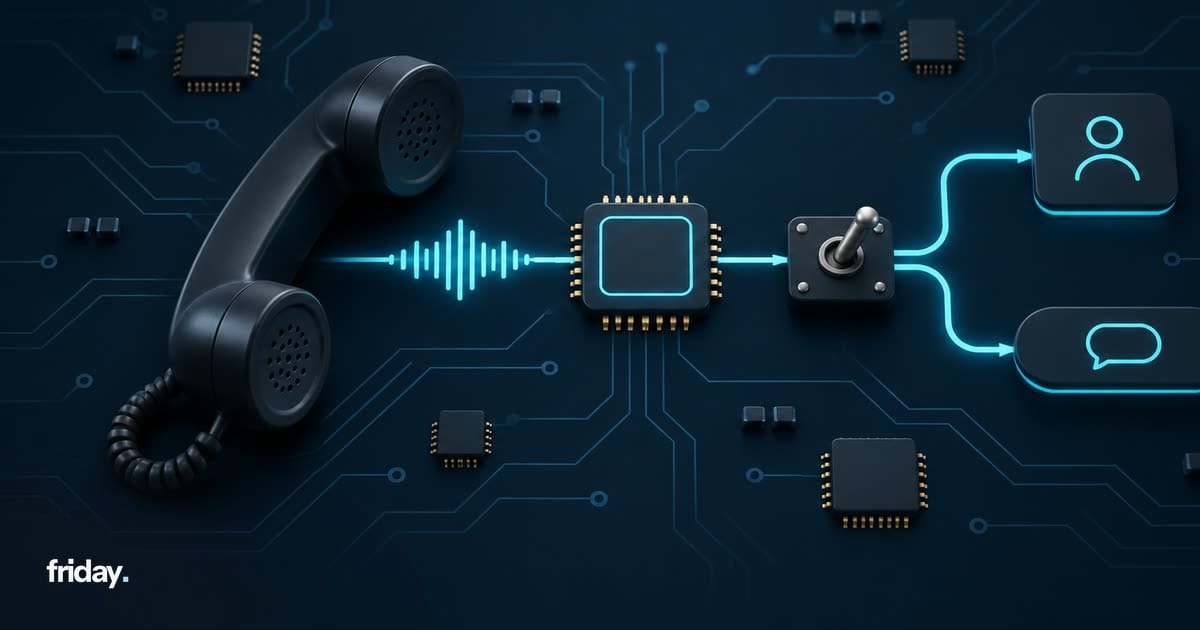
Products sold under this name combine a few jobs on one phone line. Decide which of them you want before a demo, so you compare vendors on your needs and not on their feature lists.
Answering questions
It answers callers from information you approve: hours, location, services, how to prepare for a visit. The quality depends on that information, so write it the way you would brief a new hire, and keep it current when anything changes.
Taking messages and routing
It collects a caller's name, number and reason and passes them to the right person, or transfers the call live. This is the job that replaces voicemail, so a lost message here means a caller nobody calls back.
Booking and changing appointments
Connected to your calendar, it can book, reschedule or cancel appointments, which is why it gets its own limits in the next section.
Write a call policy before you pick a product
Start with the calls you actually get. Ask whoever answers the phone today to list the reasons people call over a normal week, then sort each reason into one of three groups:
| Group | What the AI receptionist does | Example calls |
|---|---|---|
| Handle | Answers from approved information and closes the call | Opening hours, location, services offered, how to prepare for a visit |
| Capture and route | Takes the details and passes them to a named person | New inquiries, quote requests, rescheduling, billing questions |
| Transfer now | Connects the caller to a person straight away | Complaints, emergencies, anything involving money owed or legal matters |
Write each group as plain sentences the vendor can configure, for example: "If the caller mentions a complaint, transfer to the office manager; if no one answers, take a message and promise a callback the same day." If a rule takes more than a sentence or two to write, consider sending that type of call to a person.
Examples by type of business
These examples show the method; adapt them to the calls in your own log:
- A dental office might let it handle hours and directions, capture new-patient requests, and transfer anyone who mentions pain or swelling.
- A home services company might let it book estimate visits into set windows, capture job details, and transfer any call about a leak or no heat.
- A small law office might let it take a new caller's name, number and topic only, and route everything else, since the details of a matter belong with a person.
Decide what it may book or change
If the receptionist connects to your calendar or CRM, that connection is where its mistakes reach your schedule and customer records. Give it the least access that still does the job.
Calendar access
- Booking: only into the appointment types and time slots you set aside for it.
- Changing: rescheduling and cancelling only when the caller can be matched to the existing booking, and a confirmation sent afterward.
A separate calendar or appointment type for AI bookings makes its work easy to review and to undo.
Records, prices and payments
- Records: create new contacts and notes; leave editing or deleting existing customer records to staff.
- Payments and prices: no quotes, discounts or payment details over the AI line unless a person has approved that script.
Choosing those limits and testing them on real calls is the same scoping we do for any custom AI agent: what it may do on its own and what it must hand back to a person.
Recording, consent and telling callers it is AI
This section is general information. It is not legal advice. Phone recording and AI disclosure rules vary, so confirm your setup with a lawyer who knows the states where you and your callers are.
The federal recording rule
Check whether the product records or transcribes calls, and whether you can turn that off. At the federal level, the Wiretap Act allows a person who is a party to a call, or who has one party's prior consent, to intercept it, unless the purpose is a criminal or tortious act; see 18 U.S.C. § 2511(2)(d). State law can set its own rules for recording, so the federal rule is not the end of the question.
States that require every party's consent
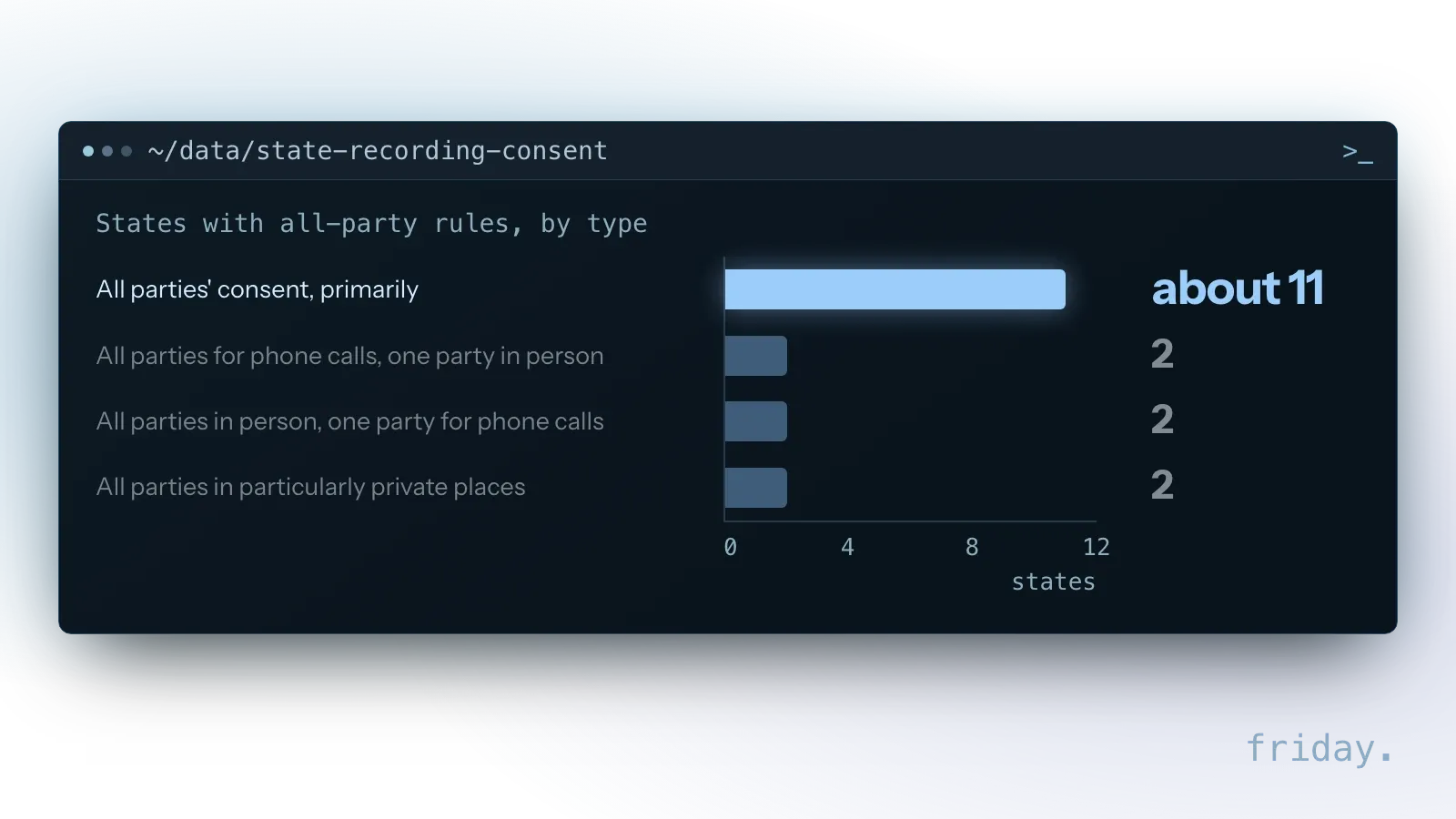
The Reporters Committee for Freedom of the Press recording guide says: "About 11 states primarily have all-party consent requirements for recording." It names four more with all-party rules for phone calls or in-person conversations only, and two with all-party rules for particularly private places.
| Group in the guide | States named |
|---|---|
| All parties' consent, primarily | California, Delaware, Florida, Illinois, Maryland, Massachusetts, Michigan (at least for recordings made by a third party who is not involved in the conversation), Montana, New Hampshire, Pennsylvania, Washington |
| All parties for phone calls, one party in person | Connecticut, Nevada |
| All parties in person, one party for phone calls | Missouri, Oregon |
| All parties in particularly private places, otherwise one party | Hawaii, Maine |
| No state recording law; federal law applies | Vermont |
The guide adds that these consent requirements vary by state and sometimes even within a state, and that it should not take the place of legal advice from a lawyer. Ask yours whether a recording notice at the start of each call meets the rules for the states your callers are in.
The opening line
A short opening line handles both recording and disclosure in one breath, for example: "You've reached Example Dental's virtual assistant. This call may be recorded. Say 'staff' at any time to reach a person." Saying up front that the caller is speaking with an AI also sets expectations before the first misunderstanding.
Callbacks and reminders follow stricter rules
The rules change when the system places calls. If an AI voice calls people back, confirms appointments or follows up on missed calls, the FCC's rules on artificial voices apply.
What the 2024 FCC ruling covers
In a 2024 declaratory ruling, the FCC confirmed that the Telephone Consumer Protection Act's restrictions on "artificial or prerecorded voice" cover current AI technologies that generate human voices. Callers must have the called party's prior express consent before making such a call, the ruling applies to any AI technology that initiates an outbound call to consumers, and calls with an advertisement or telemarketing need prior express written consent. Keep outbound AI calls switched off until you know how you collect and record that consent.
Identification in every AI voice message
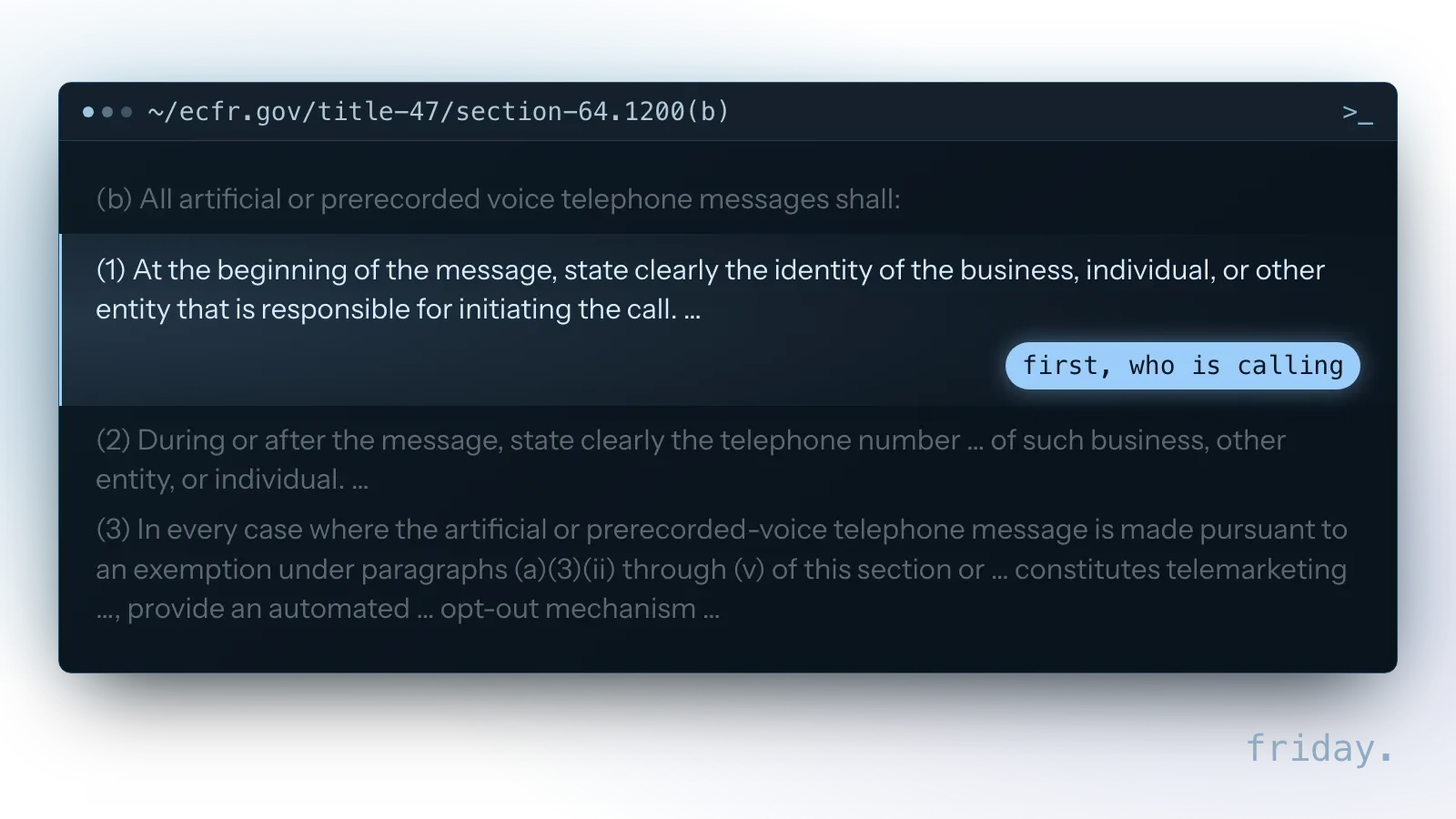
The ruling also points out that the FCC's rules require all artificial or prerecorded voice messages to provide identification and disclosure information for the entity responsible for initiating the call; those rules are in 47 CFR 64.1200(b). A reminder call should say who is calling and how to reach you, in addition to the consent you collected.
Health information and HIPAA
If you run a medical, dental or other health practice covered by HIPAA, patient calls can involve protected health information, and the federal rules decide what you need from the vendor in writing.
When the vendor is a business associate
Under 45 CFR 160.103, a business associate is a person who, on behalf of a covered entity and other than as a member of its workforce, creates, receives, maintains or transmits protected health information for a regulated function or activity. A service that answers patient calls, records them or books appointments for your practice may handle that kind of information on your behalf, but whether a given vendor is a business associate depends on what it does and on the definition's exceptions, so confirm it with your compliance adviser. This section is general information, not legal advice.
The written agreement comes first
45 CFR 164.502(e) says a covered entity may allow a business associate to create, receive, maintain or transmit protected health information on its behalf if it obtains satisfactory assurance that the business associate will appropriately safeguard the information, and that assurance must be documented through a written contract or other written agreement. Ask each vendor whether it signs a business associate agreement before you send it a single patient call, and have your compliance adviser review the terms.
What the business associate agreement must say
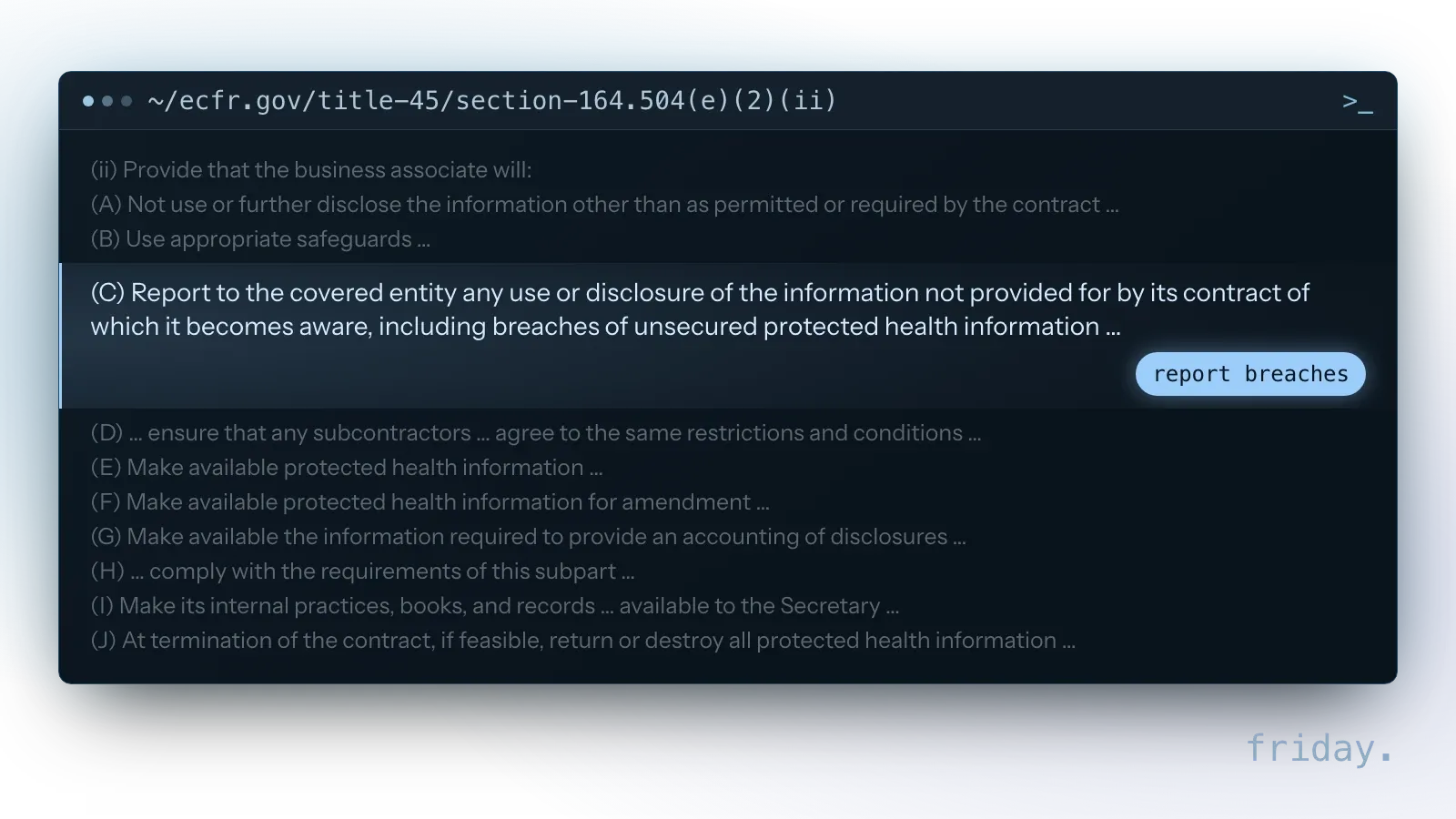
45 CFR 164.504(e)(2) sets what that contract must contain, including ten duties of the business associate, lettered (A) through (J). For a vendor that answers and records patient calls, read the safeguards, reporting and end-of-contract duties closely.
Check the vendor's standard agreement against the full list with your compliance adviser before you sign it.
Plan for the call that goes wrong
Expect some calls it misunderstands and some transfers nobody picks up. Decide the fallback for each case before launch, and write it into the vendor's settings as a rule:
- It does not understand twice: stop guessing, offer a transfer or a message.
- The transfer is not answered: take a message, tell the caller when to expect a callback, and alert a named person by text or email.
- The caller is upset or asks for a person: transfer at once; no retention scripts.
- The service is down: calls forward to a person's phone or a plain voicemail box, and someone checks it.
Review the first month
Then review a sample of calls every week for the first month: what it handled, what it routed, and every call where the caller hung up early. If callers keep asking for things it cannot do, look at the policy before switching products. Captured messages also need to reach the right person; routing them into your CRM, inbox or task list with a named owner is a workflow automation job.
Questions to ask every vendor
Bring the same questions to every demo and ask for the answers in writing. They come straight from the decisions above, so the vendor that answers them clearly is easier to run.
Calendar, CRM and phone system
Which calendars, CRMs and phone systems does it connect to, and can you limit it to the appointment types and fields in your call policy? Does it work with your existing number, and what happens to calls if the service is down?
Transfers and messages
Can it transfer live calls to more than one person in order, and what does it do when no one answers? How do messages reach staff, and can each one be assigned to a named person?
Recording, data and pricing
Can recording and transcription be switched off or limited, how long is call data kept, who at the vendor can access it, and is it used to train models? For health practices, will it sign a business associate agreement? Finally, how is it billed, and what happens to the bill when call volume doubles in a busy month?
Keep recordings only as long as you need them
Recordings and transcripts hold names, phone numbers and sometimes health or payment details, so decide how long you keep them before the first call is recorded.
What the FTC guide asks
The FTC's guide Protecting Personal Information: A Guide for Business is direct: "Keep only what you need for your business," keep it only as long as necessary, and properly dispose of what you no longer need.
Settings to change at the vendor
Set a retention period in the vendor's settings, restrict who can listen to recordings and read transcripts, and ask the vendor in writing whether call data is used to train its models. Put a reminder in the calendar to check that old recordings are actually deleted after the first retention period ends.
FAQs About AI Receptionists
Callers knowing they reach an AI, replacing a front desk, HIPAA and the reach of the FCC ruling come up before launch. Each answer stays within the cited sources.
Will callers know they are talking to an AI?
Some will guess, and you should tell them anyway. An opening line that says it is a virtual assistant and how to reach a person answers the question before it is asked.
Can an AI receptionist replace our front desk?
It can take routine calls and the after-hours load. Calls that need judgment or someone with authority to decide still go to a person, through the transfer rules you set.
Is an AI receptionist HIPAA compliant?
No product is compliant on its own; compliance depends on how your practice uses it. One requirement is clear in the rules: if you are a covered entity and the vendor handles patient information for you, you need a written agreement giving satisfactory assurance that it will safeguard that information. Ask for it before launch, and review the rest with your compliance adviser.
Does the FCC ruling cover calls the AI answers?
The 2024 ruling addresses AI technology that initiates outbound calls to consumers. Answering inbound calls raises the recording and disclosure questions above instead; check those with your lawyer.
Test calls to make before launch
Before real callers reach it, call the number yourself from a phone the system does not know, and work through these five scenarios, taken from your own call log.
Booking calls
- A new booking: check the slot, the appointment type and the confirmation the caller receives.
- A reschedule: check that it found the existing booking and did not create a second one.
Calls it should hand over
- A complaint: it should transfer at once, and alert someone if the transfer is not answered.
- A request it should refuse, such as a price quote or a payment: it should decline and offer a person.
- A poor line or a strong accent: it should follow the fallback you set for calls it does not understand.
After each call
After each call, check what it booked, what it recorded and who was notified. If you want help connecting it to your calendar and CRM once those calls pass, tell us which phone system and calendar you use on a free first call.
Last checked: November 16, 2026. The legal points cite the federal statute, the FCC's ruling and rules, the FTC, the federal health privacy rules and the Reporters Committee recording guide; state rules can add to them.
This is general information, not legal advice; legal points cite the Wiretap Act (18 U.S.C. 2511), the FCC's 2024 ruling, the FTC's data guide and HIPAA's rules at 45 CFR 160.103, 164.502(e) and 164.504(e), the FCC's message rules at 47 CFR 64.1200(b) and the Reporters Committee recording guide, checked November 16, 2026.