
Gemini API File Slicing: Pay for the Pages Your Agent Reads
Google's Gemini API now lets an agent ask for only the pages, cells, clips or layers of a file it needs; Google says it bills only the parts Gemini inspects.
Office files now go to the API directly. For teams whose automations read long PDFs or price sheets, Gemini file slicing bills less only when a request slices.
What Google launched with Gemini file slicing
Google announced the feature on its blog on November 23. Its API docs and release notes add the details on which models it works with, the file limits that still apply, and how the billing is counted.
The announcement on November 23
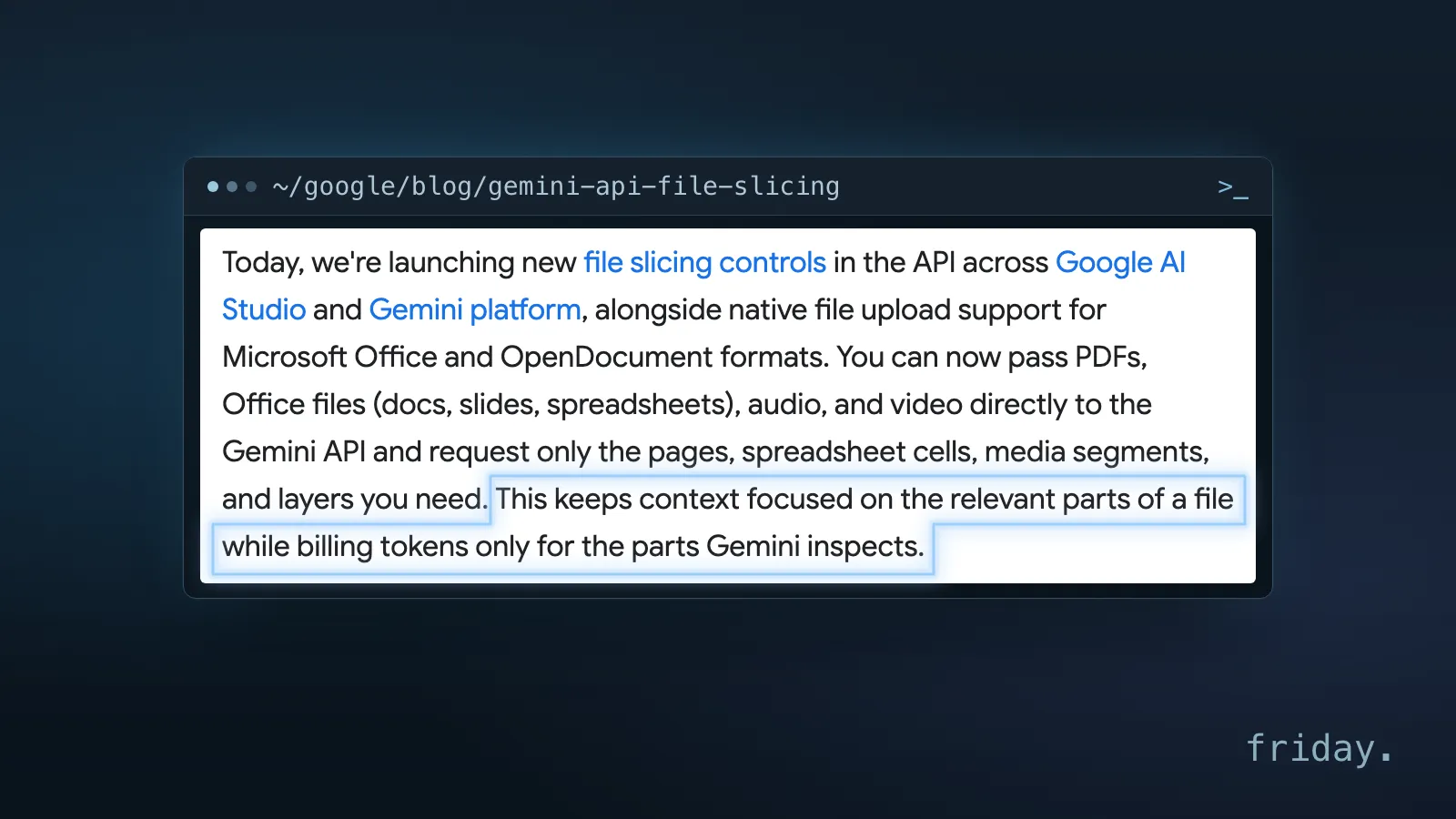
Google's post "Introducing file slicing controls in the Gemini API" is dated November 23, 2026, and signed by Rohan Doshi and Ben Caine of Google DeepMind. It says developers "can now pass PDFs, Office files (docs, slides, spreadsheets), audio, and video directly to the Gemini API and request only the pages, spreadsheet cells, media segments, and layers you need." The next sentence covers billing: "This keeps context focused on the relevant parts of a file while billing tokens only for the parts Gemini inspects."
The post says the controls are "available today via the API in Google AI Studio and the Gemini platform." Google's Gemini API release notes list the change under November 18 as "Multimodal file processing and slicing," with neither a Preview nor a GA label; tool retrieval, listed a day later, is marked Preview.
Which models and files it covers
"Native file slicing works across all Gemini 4 models," the post says, and "existing file size and page limits still apply to the uploaded file." The document processing docs add that the processing options work across Gemini 3 and Gemini 4 models. The limits are up to 50 MB per file, 1,000 pages per PDF, or 2,000 pages or slides per Office or OpenDocument file, and they apply "to the full uploaded file even when slicing."
This is a developer feature in the API. It is a setting your automation or your developer sends with each API request. Google's post lists it as available "via the API in Google AI Studio and the Gemini platform," not as a setting in the Gemini chat app.
How Gemini file slicing changes the bill
Two kinds of request bill differently: one that names the pages or tabs it wants, and one that sends no processing options at all. Google's docs describe both, with the token counts for each page.
Sliced billing and the full-file default
When a request sets processing options, the docs say: "Gemini counts and bills only the selected pages, sheets, and content_layers sent to the model." Google calls this sliced billing.
When a request leaves them out, the docs are just as direct: "When you omit processing options, Gemini ingests the full file using these defaults." For a Word document or a slide deck on a Gemini 4 model, that default is page images at medium resolution, about 560 tokens a page. On a Gemini 4 model, an Excel workbook gets every sheet with its values, formulas and sheet names; Gemini 3 sends all sheets as values only. So an automation that keeps sending whole files keeps paying for whole files. Sliced billing only applies once someone changes the request.
The token math per page
The docs give approximate token counts for each page image on Gemini 4 and Gemini 3 models, set by the resolution you ask for.
| Resolution | Tokens per page | Typical use |
|---|---|---|
| Low | About 280 | Skimming a long document |
| Medium (default) | About 560 | What a whole-file request gets on Gemini 4, and for PDFs |
| High | About 1,120 | Charts and dense layouts |
Gemini 2.5 models use a flat 258 tokens a page. Tokens are what the API prices, so the per-token rate of the model you use turns these counts into dollars; our Gemini 4 Neon pricing post covers the rates for that model. For default PDF processing, the docs add that the PDF's embedded text comes "alongside page images at no extra token charge."
Office files go straight to the Gemini API
The update also adds native support for Office files and their OpenDocument counterparts, which removes the conversion step Google describes agents running when an API only takes whole files.
No converter in the middle
Google's post says that "when model APIs only ingest whole files, agents end up running LibreOffice, PDF renderers, and ffmpeg inside the client harness to render and slice large files." With this update, the Gemini API "natively slices, renders, and tokenizes each file server-side." The docs list .docx, .doc, .dotx and .odt documents, .pptx, .ppt and .odp presentations, and .xlsx, .xls and .ods spreadsheets as Office files the API now takes as they are.
A file can be uploaded once through the Files API and its address reused "across turns and tool calls," so an agent can look at page 3 now and page 40 later without sending the file again. The docs say the Files API itself "is available at no cost" in the regions where the Gemini API runs. Uploaded files are kept for 48 hours.
Spreadsheets by tab, range and layer
For spreadsheets, a request can pick a worksheet tab, a cell range such as A1:G40, and the layers to include: data (the evaluated values), formulas, or a visual snapshot of the sheet. When a request sets options and names no layers, the default is data and formulas. The API reads up to 50,000 cells per sheet.
That matters for a price list or a rate card with many tabs. An agent that only needs this month's tab can ask for it, and under sliced billing only the selected sheets and layers count.
Video and audio clips in the Gemini API
File slicing in the Gemini API also covers recordings. Google's post lists video and audio controls next to the document ones, so a call recording can be trimmed the way a PDF can.
Clip a recording by time
The post's line for video reads: "Clip time intervals (start_offset, end_offset), adjust fps and resolution (low, high), and choose content layers (transcript, frames, or audio)." For audio, it lists clipping by the same start and end offsets.
A team that sends call recordings to an automation can ask for the minutes that matter. For site walk-through videos, it can also ask for the transcript layer alone instead of every frame.
Skim first, then zoom in
Google's post describes a pattern it calls "Skim cheap, then zoom in": skim "with extracted text, low-res previews, or transcripts, then spend high-resolution tokens only on the charts, dense layouts, and frames that matter." Its own code sample skims a Word document as text to find a chart, then reads one page as a high-resolution image.
Where Gemini file slicing fits for a small team
A small business without a developer on staff meets Gemini file slicing through a tool someone else built. In Friday's view, the question then is how much of each file that tool reads.
A property manager's lease review
For example, a property management firm with 12 staff runs an automation that answers questions about leases, which arrive as 200-page PDFs. Sent whole at the default, each lease is about 112,000 tokens of page images (200 pages at about 560 each). With slicing, the agent can skim the extracted text first to find the rent clause, then read just two pages at high resolution, about 2,240 tokens for those two pages, plus the tokens for the extracted text of the skim, which grow with how much text the lease holds. The firm's developer changes the request; the people asking questions use the automation the same way.
What this update does not cover
Google's post gives no dollar figure. Two partners quoted in it report their own results, which are not a general saving: LiteLLM says, of its own testing, "slicing cut prompt tokens by 67% for a PDF and 33% for a workbook," and Vercel says skimming a page for text extraction "used 14x fewer tokens than rendering the whole PDF." Your saving depends on how your files are built and what the agent asks for. Gemini file slicing is also separate from tool retrieval, the preview feature Google listed the same week that loads tool definitions on demand. One trims the files an agent reads; the other trims the list of tools it is sent.
Friday's view on paying for what the model reads
In Friday's view, the request settings are now part of the cost of a document workflow, alongside the model you pick. If a vendor or developer runs a Gemini-based automation that reads your files, ask whether it uses Gemini file slicing or sends whole files, and at what resolution. A team weighing the return on an AI automation can put that answer next to the run count it already tracks.
Before you rely on file slicing
Gemini file slicing lets a request name the pages, tabs, cells, clips and layers of a file, and Google's docs say that under sliced billing those selections are all that gets counted and billed.
A request that sends no processing options still reads the whole file at the default settings, and the file limits apply to the full upload either way. Office files and OpenDocument files no longer need converting first.
Ask whoever runs your document automations whether they use Gemini 3 or Gemini 4 models, whether requests slice, and which resolution they use for the pages that need detail. This is general information, not pricing advice for your account. If you want help working out what your document workflows read on each run, tell us which files and steps are involved.
Last checked: November 24, 2026.
Details come from Google's November 23, 2026 post, "Introducing file slicing controls in the Gemini API," the primary source, and from the Gemini API document processing docs and release notes, checked November 24, 2026. Prices, limits and token counts can change; check Google's current docs before you plan around them. Friday has no relationship with Google. Statements marked as Friday's view are opinion.